
Resources
Why React Native in 2026: Bridgeless, Expo and Real Performance
The specific 2026 engineering picture for React Native, Bridgeless architecture, Hermes, Expo's production maturity, who builds on it, and what it means for cost and speed.

Prem Kumar
Mobile Engineer, Devity Technologies
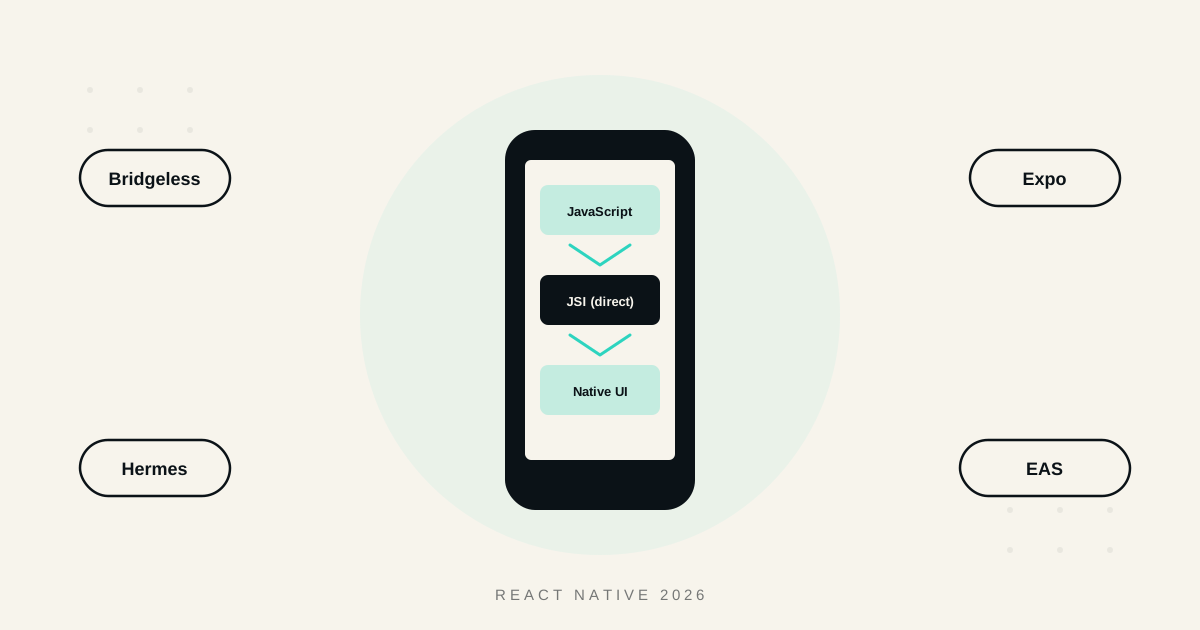
React Native's reputation took years to shake off its early performance criticisms, and 2026 is the year that reputation is genuinely out of date. This is a specific, current picture of where the framework actually stands, the Bridgeless architecture and JSI, Hermes, Expo's evolution into a genuine production toolchain, who is building serious products on it, and what all of this means for cost and speed on a real project.
Bridgeless and JSI: The Architectural Shift That Actually Mattered
React Native's old reputation was built on a real bottleneck, the legacy bridge, which required every call between JavaScript and native code to be serialised into JSON, passed across an asynchronous boundary, and deserialised on the other side. That overhead showed up as visible jank in scrolling, delayed touch response, and slow list rendering, and it was a fair criticism at the time.
The New Architecture changed this fundamentally. Built on JSI (the JavaScript Interface), Fabric, and TurboModules, it lets JavaScript and native code communicate directly, often synchronously, eliminating the serialisation step that caused most of the historical overhead. This architecture, commonly referred to as Bridgeless mode since the legacy bridge is no longer present at all, is now the default for new React Native apps, not an opt-in experimental feature buried behind a flag.
This is not a minor internal refactor. It is the single change that most directly addresses the specific technical criticisms that shaped React Native's reputation for the better part of a decade.
| Legacy bridge architecture | Bridgeless (New Architecture) | |
|---|---|---|
| JS to native communication | Asynchronous, serialised through JSON | Direct, often synchronous, via JSI |
| Rendering | Fabric not used, older rendering path | Fabric, more predictable and consistent |
| Native module calls | Bridged, batched, added latency | TurboModules, loaded and called directly |
| Typical impact on complex UI | Visible jank under load | Performance close to native for standard apps |
Hermes: Why Startup Time and Memory Actually Improved
Hermes, the JavaScript engine React Native now runs by default, compiles JavaScript to bytecode ahead of time rather than parsing and compiling it on the device at startup. Combined with a rewritten compiler and improved garbage collection in its current version, this directly reduces app startup time and memory usage compared to running JavaScript through a general-purpose engine never specifically built for mobile constraints.
The practical effect compounds with Bridgeless, faster native communication plus faster JavaScript execution together close most of the gap that used to separate React Native from a fully native build, for the kind of standard, interaction-heavy interfaces most business apps actually consist of.

Expo: From Beginner Wrapper to Production Toolchain
This is the piece of the 2026 picture most outdated commentary gets wrong. Expo used to have a reputation as a simplified, training-wheels layer suited to prototypes, not real products. That reputation is no longer accurate.
Expo is not a competing framework, it is a managed workflow and toolchain built directly on top of React Native. An app built with Expo's SDK is still genuinely a React Native app underneath, with the option to eject to the bare workflow if a project ever needs something Expo's managed layer does not cover. Current data on real projects shows the large majority of new Expo builds already running on the New Architecture, indicating this is now the default, mainstream path, not an early-adopter minority.
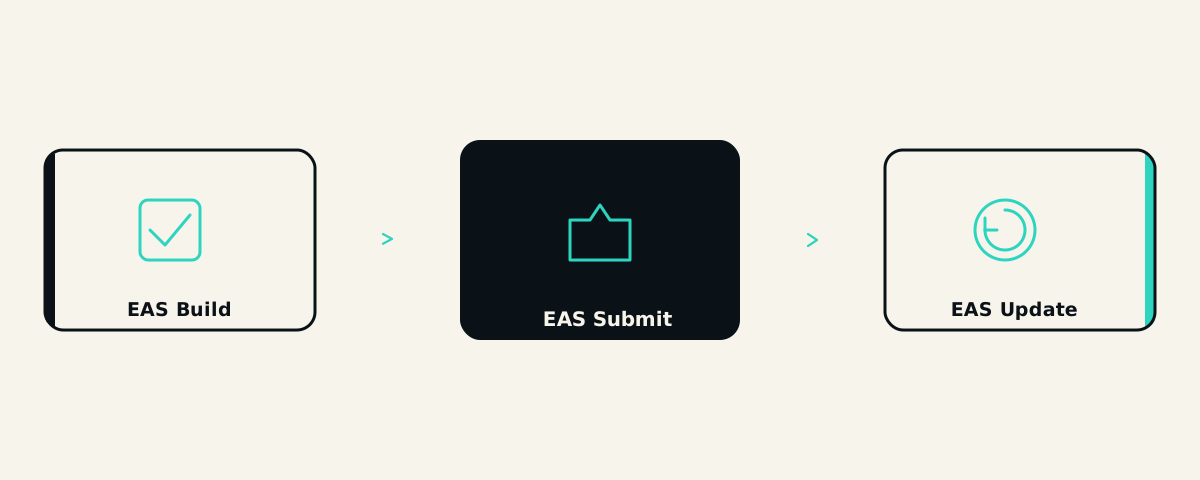
What actually changed is the tooling around it. EAS Build handles cloud-based compilation without requiring local Xcode or Android Studio setup for every developer. EAS Submit handles App Store and Play Store submission directly. And EAS Update is the piece with genuine business significance, it allows shipping JavaScript bundle updates over the air, directly to users, without waiting on App Store or Play Store review. A bug fix that would take days to reach users through a standard app update cycle can reach them in hours through this path, a real, concrete advantage that has nothing to do with developer convenience and everything to do with how quickly a business can respond to a production issue.
Who Actually Builds on React Native
React Native is no longer a framework associated primarily with quick MVPs and early-stage startups. It has become a genuinely enterprise-standard choice, used at meaningful scale within major technology companies, alongside fintech and consumer apps, the kind of companies operating in the UK market like Revolut, Monzo, and Deliveroo, where both reliability and the ability to iterate quickly matter directly to the business. This is not a framework serious companies grow out of, it is one they are actively choosing to build and stay on at real production scale.
The reason these kinds of companies choose React Native specifically is worth naming directly, since it is rarely just cost. A fintech app handling real money movement needs both a fast release cycle to respond to regulatory or competitive pressure, and enough engineering rigour to avoid the reliability failures that would genuinely damage user trust. React Native's combination of near-native performance, a single shared codebase, and the ability to ship urgent fixes via over-the-air updates gives exactly this combination, speed without sacrificing the reliability a serious, regulated product actually requires.
Cost and Speed: What This Actually Means for a Real Project
The architectural maturity described above translates into concrete, practical advantages for a founder deciding how to build.
Faster initial build, since Expo's managed workflow removes a meaningful amount of native project setup and configuration overhead that used to eat into early development time.
Lower ongoing maintenance cost, one shared codebase for iOS and Android, now running on an architecture that performs close to native for the large majority of standard business app interactions.
Faster response to production issues, the ability to ship a JavaScript-level fix through EAS Update without a full app store review cycle is a genuine speed advantage that a fully native app, or an older React Native architecture, does not have in the same way.
A larger, more mature talent pool, hiring against React Native and Expo specifically, rather than separate native iOS and Android specialists, remains a meaningful cost and speed advantage, and that pool has only grown as the framework's production maturity has increased.
In Practice
This is the specific, current technical picture behind the broader native-versus-cross-platform decision covered in our comparison of React Native and native development, and it is why React Native remains our default recommendation for the large majority of business apps we build. If you want to see what a React Native and Expo build actually looks like for your specific app, our mobile application development service is a good place to start that conversation with real, current engineering detail, not a framework debate from several years out of date.
The businesses building well on React Native in 2026 are not making a compromise choice, they are building on an architecture that has specifically addressed its own historical weaknesses, with a toolchain that has matured into genuine production infrastructure, not the simplified starting point it used to be.
FAQ
Questions, Answered.
Read next
More on Mobile Applications
App Store Optimisation and Launch Strategy for New Apps
The real ASO basics, how to build a listing that converts, managing reviews, a genuine launch plan, and how post-launch iteration actually drives growth.

Designing Mobile UX That Keeps Users Coming Back
Real mobile UX practices that drive genuine retention, onboarding, performance, navigation, accessibility, and what actually keeps users coming back.

From Web App to Mobile App: When and How to Make the Leap
Real reasons to go mobile, how much code and logic you can actually reuse, honest cost, and how to phase the transition from a web product to mobile properly.