
Resources
The Real Limits of No Code Automation (and When You Outgrow It)
Where no-code tools like n8n and Zapier genuinely break down, performance and reliability limits, maintenance debt, and the real signs it's time to move to an engineered build.

Mohid Bhatti
AI Systems Engineer, Devity Technologies

No-code automation platforms, n8n, Zapier, Make, have genuinely earned their popularity, and for the right workflow, they remain the correct, proportionate choice. This piece is specifically about where they break down, performance and reliability limits, maintenance debt, and the real, concrete signs it's time to move to an engineered build, covered from the other direction in our guide to when a workflow genuinely needs a consultant versus a DIY tool.
| Signal | What it means |
|---|---|
| More than a handful of conditional branches | Genuinely hard to build, test, and reason about visually |
| Intermittent failures at higher volume | Rate limits and timeout handling built for moderate load |
| Recurring silent failures | No real alerting when something goes wrong |
| Only one person understands the workflow | Accumulated, undocumented maintenance debt |
Where No-Code Breaks Down
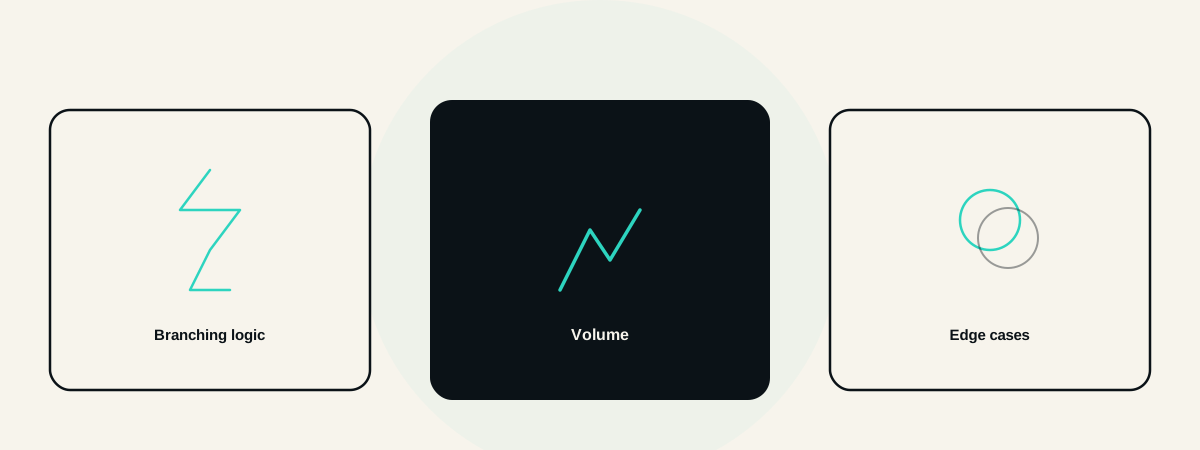
Complex branching logic is the most common technical limit teams actually hit. A workflow with a handful of conditional paths is manageable inside a visual builder, one with dozens of branches becomes genuinely difficult to build, test, and reason about, even though each individual step remains simple in isolation.
Genuine volume changes the reliability picture. Rate limits, timeout behaviour, and error handling on most no-code platforms are typically built and tested for moderate volume, and a workflow that performed reliably at low volume can start failing intermittently once real scale is reached, exactly the point at which the automation matters most.
Multi-system integrations with real edge cases expose the gap between a platform's demo-friendly happy path and what production data actually looks like, a malformed record, a temporarily unavailable API, a field that's occasionally empty when it's never supposed to be.
Performance and Reliability
Execution speed can become a genuine bottleneck as a workflow grows more complex, no-code platforms add real overhead compared to purpose-built code, usually invisible at low volume and increasingly noticeable as both complexity and volume grow together.
Error handling is frequently an afterthought in a no-code build, the happy path gets built first and thoroughly, error cases get patched in reactively as they're discovered in production, rather than designed in from the start the way a properly engineered system would handle failure by default.
Silent failure is the pattern that causes the most real damage. A no-code automation that fails without a clear, actionable alert can run incorrectly for days before anyone notices, quietly generating bad data the whole time.
Maintenance Debt
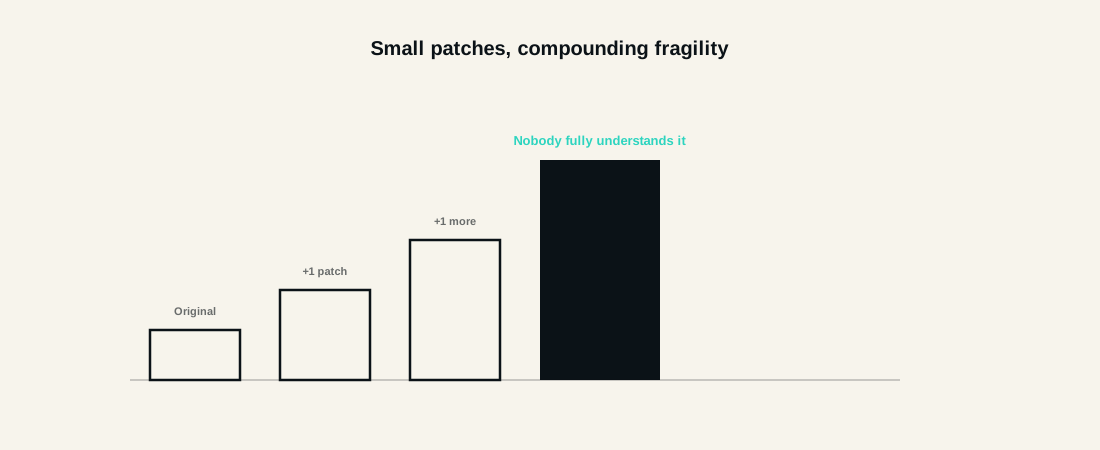
Workarounds accumulate the same way technical debt does anywhere else. A quick fix patched onto a workflow to handle a new edge case, individually reasonable in the moment, compounds over time into a workflow that becomes progressively harder and riskier to modify safely.
Eventually, only the original builder truly understands the workflow. A visual builder's apparent simplicity can mask real, accumulated complexity that isn't obvious just from looking at the canvas, and a workflow's true fragility often only becomes visible once someone other than its original creator tries to change it.
A concrete illustration: a workflow originally built to route support tickets by keyword grows, over many months, several patched-in exceptions for specific clients, a workaround for a particular integration's quirks, and a manually adjusted branch added after a specific incident nobody fully documented. The person who built it moves to a different role, and the next person tasked with a simple change spends real, unplanned time just understanding what the workflow actually does before they can safely touch it, exactly the hidden cost that a properly documented, engineered build avoids by design.
The Move to an Engineered Build
The right signal is a genuine, recurring limit, not a fixed schedule. Silent failures happening repeatedly, branching complexity that's become genuinely hard to follow, or reliability problems showing up specifically at scale, these are the concrete signs worth acting on, not an arbitrary point where a workflow "feels" too big.
An engineered build doesn't mean starting from nothing. Often the most sensible path keeps the no-code tool for the genuinely simple parts of a broader process and replaces only the specific piece that has outgrown it, a more surgical, cost-effective transition than a full rebuild.
Proper monitoring and error handling come standard in an engineered build, not an afterthought retrofitted once something has already gone wrong, exactly the gap most costly no-code failures trace back to.
In Practice
We work with teams at exactly this transition point regularly, keeping what genuinely works in a no-code tool and replacing only the specific piece that has hit a real, recurring limit, covered in more depth in our decision framework for consultant versus DIY tools. Our AI automation service is built around this kind of surgical, honest transition, not a blanket recommendation to rebuild everything from scratch.
The teams that navigate this well are rarely the ones who avoided no-code tools from the start, they are the ones who used them well for as long as they genuinely fit, and recognised the real, specific signs it was time to move on before a silent failure made that decision for them.
FAQ
Questions, Answered.
Read next
More on AI Automation
10 High ROI Automations Every SME Should Consider in 2026
Ten concrete, high-ROI automations for UK SMEs, with real effort and payoff for each, plus how to prioritise and where to actually start.
AI Automation for Accountants and Finance Teams
How AI automation actually applies to accounting firms and finance teams, invoice and reconciliation, document extraction, reporting, MTD compliance, and real ROI.
AI Automation for Professional Services Firms
Real AI automation for professional services, client intake, document workflows, reporting, genuine time recovery, and honest ROI.