
Resources
Mobile App Development in the UK: The Complete Guide
Native vs cross-platform, the real development process, what it costs, App Store realities, and how to choose a partner who won't disappear after launch.

Prem Kumar
Mobile Engineer, Devity Technologies
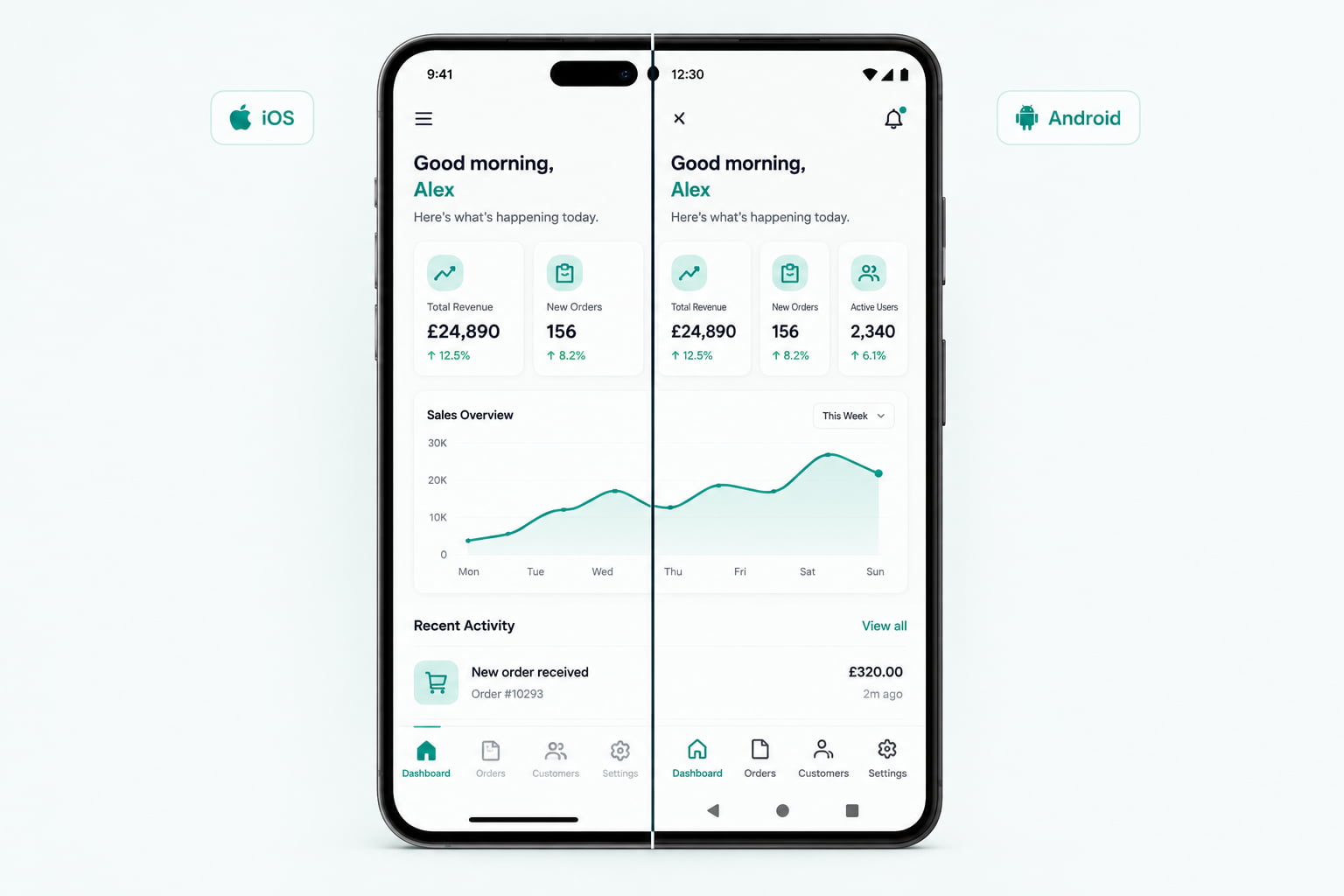
Search "mobile app development company UK" and the results look remarkably similar to searching for a web agency or a SaaS studio: walls of superlative claims, client logo lists, and very little honest detail about the actual decisions that determine whether your app works well, ships on time, and survives past year one. This guide covers the decisions that actually matter, native versus cross-platform, what the real development process looks like, what it costs, what App Store submission actually involves, what maintenance really requires, and how to tell a genuine mobile development partner from an agency that will disappear the moment the invoice clears.
Native vs Cross-Platform: The Decision Most Guides Get Vague About
This is usually the first real decision, and most agency content either oversimplifies it into a sales pitch for whichever technology the agency happens to specialise in, or lists pros and cons without actually telling you which one fits your situation.
Native development means writing separate codebases for iOS (Swift) and Android (Kotlin), each built directly against the platform's own tools. This gives you the absolute ceiling of performance and the fastest access to brand-new platform features the moment they release, at the cost of building and maintaining two codebases instead of one.
Cross-platform development, most commonly React Native or Flutter, lets you write the large majority of your app once and ship it to both iOS and Android. Modern cross-platform frameworks render close enough to native performance that the difference is imperceptible for the vast majority of business apps, the kind with forms, lists, dashboards, and standard interactions rather than console-grade 3D graphics.
The honest decision framework:
| Situation | Better fit |
|---|---|
| Standard business app: accounts, dashboards, booking, content, e-commerce | Cross-platform |
| Heavy reliance on brand-new OS features the day they release | Native |
| Tight budget, need both platforms from one team | Cross-platform |
| High-end gaming, AR/VR, or processor-intensive real-time graphics | Native |
| Small team maintaining the app long-term | Cross-platform (one codebase to maintain, not two) |
For the large majority of UK businesses building their first serious mobile product, cross-platform is the right default, not a compromise. The agencies pushing native-only for every project are usually optimising for their own billable hours, not your actual constraints.
Within cross-platform, React Native and Flutter are the two dominant choices, and the difference between them matters less than most technology-comparison articles suggest. React Native shares more of its underlying patterns with web React development, which can matter if your team or your development partner already has strong web React experience. Flutter renders its own UI layer rather than using native platform components directly, which gives it very consistent visual behaviour across devices at the cost of apps sometimes feeling slightly less "native" in subtle interaction details. Both are mature, both are used in production by large companies, and both are reasonable choices, the more important decision is genuinely native versus cross-platform, not which cross-platform framework specifically.
The Real Development Process
A properly run mobile app engagement moves through a handful of distinct phases, and knowing what should happen at each stage helps you spot a partner who is skipping steps.
Discovery and scoping. Defining exactly what the app needs to do in its first version, and just as importantly, what it deliberately will not do yet. Scope creep at this stage is the single biggest cause of blown timelines later.
Design and prototyping. Wireframes and clickable prototypes, tested against real user flows before any production code gets written. This is where usability problems are cheap to fix, versus expensive to fix after launch.
Development. Built in short, visible cycles, with working builds you can actually install and test on a real device, not just slide decks describing progress.
Testing on real devices. Simulators catch a fraction of real-world issues. A properly run project tests on a genuine spread of physical devices, older and newer, both platforms, not just the developer's own phone.
App Store and Play Store submission. Covered in detail below, since this stage has its own realities that catch first-time app owners off guard.
Post-launch support. The stage most agencies quietly skip past, discussed in the maintenance section below.
Offline handling, decided early, not bolted on. Mobile apps are used in the real world, which means inconsistent signal, tunnels, flights, and areas with poor coverage. Deciding early whether and how your app needs to function offline, caching data locally and syncing once connectivity returns, shapes your data architecture from the start. Retrofitting offline support into an app built assuming constant connectivity is one of the more painful and expensive corrections a mobile project can require.
What App Store Submission Actually Involves
This is the stage most first-time app owners underestimate. A few realities worth knowing before you launch:
- Apple's review process is not instant, and can take anywhere from a day to over a week, sometimes with a rejection requiring a fix and resubmission. Building this variability into your launch timeline, rather than assuming a fixed date, avoids a lot of unnecessary stress.
- App Store Optimisation (ASO), meaning your app's title, keywords, screenshots, and description, genuinely affects discoverability, in much the same way SEO affects a website. An app that is technically excellent but poorly optimised for store search will struggle to be found at all.
- Google Play's review is typically faster than Apple's, but Android's fragmentation across device manufacturers and OS versions means more real-device testing is usually needed to catch issues Apple's more controlled hardware ecosystem does not have.
- Both platforms have policies that change, sometimes with short notice, around privacy disclosures, tracking permissions, and data handling. An app that complied at launch can be rejected on a routine update if these requirements shift and nobody is watching for it.
What Mobile App Development Actually Costs in the UK
Realistic ranges, based on scope:
- A lean MVP (core user flow, basic auth, minimal integrations): typically starts in the low tens of thousands of pounds
- A fuller first version (native integrations like payments, camera, GPS, or biometrics, plus a polished design system): meaningfully higher, scaling with how many native capabilities are involved
- An established app adding complexity over time (offline-first architecture, real-time features, deeper platform integrations): ongoing engineering investment tends to matter more than any single project quote at this stage
As with SaaS and web development, the number that matters is not the headline figure alone but what is actually included in it. A quote that excludes App Store submission support, ASO, or a defined period of post-launch bug fixing will look cheaper and cost more once those gaps become your problem after handover.
A few of the most common, avoidable mistakes worth naming directly:
- Treating design as an afterthought to save budget. A mobile app lives or dies on how intuitive its first few minutes feel. Underinvesting in UX design to save cost upfront routinely costs more later in lost users and expensive redesign work.
- Skipping real device testing until the very end. Issues that never show up in a simulator, performance on an older device, battery drain, behaviour under poor connectivity, are exactly the issues that generate one-star reviews. Testing on real hardware throughout development, not just before submission, catches these while they are still cheap to fix.
- Underestimating how long App Store approval realistically takes. Planning a launch date that assumes instant approval, with no buffer for a possible rejection and resubmission cycle, is one of the most common and avoidable sources of last-minute panic in a mobile launch.
Maintenance: The Part Most Agencies Don't Mention Upfront
An app is not a one-time deliverable. Both Apple and Google release major OS updates roughly once a year, and either can break existing app behaviour without warning, deprecated APIs, new permission requirements, or changed review guidelines. An app that works perfectly at launch can stop working correctly a year later purely because the platform underneath it changed, not because anything in your app's own code was touched.
A realistic maintenance budget covers:
- Compatibility fixes when a new OS version changes something your app depends on
- Security patches for any third-party libraries your app uses
- Minor feature updates and bug fixes based on real user feedback
- Monitoring crash reports and performance in production, not just at launch
Skipping this budget is one of the most common ways a genuinely good app quietly degrades over its first year, not through any single dramatic failure, but through a slow accumulation of small platform-driven breakages nobody was watching for.
A reasonable rule of thumb worth planning around: budget for ongoing maintenance as a meaningful fraction of the original build cost each year, rather than assuming the app is finished once it ships. Businesses that treat the launch as the finish line, rather than the start of an ongoing relationship with the platforms their app runs on, are consistently the ones surprised by an app that quietly stops working correctly a year or two after everyone stopped paying attention to it.
How to Choose a Mobile Development Partner
Given how crowded and similar-sounding this space is, a few direct questions cut through the noise:
Ask them to justify native versus cross-platform for your specific app, not in general terms. A team that immediately pushes toward whichever technology they specialise in, regardless of your actual requirements, is optimising for their own convenience.
Ask what happens the week a major iOS or Android update breaks something in your app. A team with real experience will have a concrete answer and probably a story. A team that has never had to deal with this yet is telling you something important about how much production experience they actually have.
Ask to see the actual App Store listing of an app they built, not just a portfolio screenshot. A live listing tells you about real ratings, real update history, and whether the app is actually still maintained.
Ask how they test on real devices, specifically which devices, and whether that testing happens before or after you receive the build. "We test on our own phones" is a different answer than a defined device-testing process.
In Practice
While Devity's own case studies to date center on web platforms, SaaS, and AI automation, the same engineering discipline, real discovery, visible development cycles, genuine device testing, and a defined post-launch support plan, applies directly to mobile. If you have a mobile app idea and want an honest read on native versus cross-platform, realistic cost, and a genuine plan for the App Store process, our mobile application development service is built around exactly this kind of engagement.
That is the real difference in mobile app development: not which framework logo ends up on the pitch deck, but whether the team treats the App Store submission, the maintenance year, and the platform changes ahead as part of the actual job, not someone else's problem after handover.
FAQ
Questions, Answered.
Read next
More on Mobile Applications
App Store Optimisation and Launch Strategy for New Apps
The real ASO basics, how to build a listing that converts, managing reviews, a genuine launch plan, and how post-launch iteration actually drives growth.

Designing Mobile UX That Keeps Users Coming Back
Real mobile UX practices that drive genuine retention, onboarding, performance, navigation, accessibility, and what actually keeps users coming back.
From Web App to Mobile App: When and How to Make the Leap
Real reasons to go mobile, how much code and logic you can actually reuse, honest cost, and how to phase the transition from a web product to mobile properly.